

Skip to content

StageLight

Home › Downloads › Software › StageLight

StageLight

At a glance

The Smart Lighting Control App

Runs oniOS / iPadOS

  • Easy layoutQuick access to all devices
  • Extensive effect toolsTime and beat tools
  • 32 DMX channelsin the free license
  • ArtNet protocol
  • Fixture library
  • Touch Screen
  • MIDI input
  • Fixture library

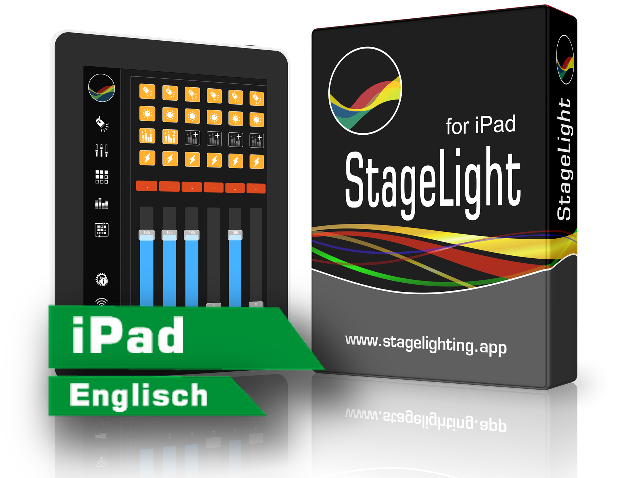
StageLight is a professional iPad app for controlling stage lighting based on the Art-Net (DMX512 over IP) protocol. The software combines the classic light mixer feeling with a modern and intuitive design. The user interface is characterized by an intelligent use of the available space in combination with a high degree of flexibility.

Get it on the App Store Compare tiers View all programs

Tiers

Which tier suits whom?

StageLight is an app, not a file to download: you get it free from the App Store and unlock more channels with an in-app purchase when you need them. Upgrades from one tier to the next are sold separately. Prices as of 12 October 2026.

Tier Who it is for What it unlocks Price (App Store)
Free For trying it out before spending money. The app itself. The App Store does not state how many channels the free tier has; our figure above: 32. free
Premium S Small stage, a handful of fixtures. 128 DMX channels and 16 fixtures. $19.99
Premium L + MIDITrial Band or theatre wanting a desk feel via a MIDI controller. 256 DMX channels, 32 fixtures and MIDI. $29.99
Premium XL + MIDI + CITP Anyone who needs a full DMX universe. 512 DMX channels, MIDI and CITP. $49.99
Ultimate + MIDI + CITP Large rigs across several universes. 10 universes, MIDI and CITP. $79.99

The short answer

  • Just try it first: The free app; the maker offers a 14-day trial of Premium L.
  • A few LED fixtures on a small stage: Premium S.
  • A full universe or more: Premium XL or Ultimate.

Is StageLight available for Windows or Android?

No. StageLight is only available in Apple’s App Store — for iPad, for Macs with Apple silicon and for Apple Vision Pro. Google Play has no app of that name from this seller (search of 12 October 2026), and the maker’s site only links to the App Store. If you work with Windows, you will find other programs in our list.

App

Get StageLight

The button opens the app in the App Store. Version, size and requirements come from there and were verified on 12 October 2026.

StageLight – DMX Controller

App · version 4.0.3 · 33.7 MB · free with in-app purchases

For iPad, Mac with Apple silicon and Apple Vision Pro. Languages: German and English. Rated 4+.

Seller: Marko Seifert

Requirements according to the App Store
  • iPad: iPadOS 17.0 or later
  • Mac: macOS 14.0 or later and a Mac with Apple M1 chip or later
  • Apple Vision: visionOS 1.0 or later

On the Mac the iPad version runs; Apple notes that it was designed for iPad and is not verified for macOS. The App Store lists no requirements for iPhone.

Get it on the App Store →

Background

More about StageLight

What StageLight is

StageLight is a lighting app by Marko Seifert. It controls fixtures over the network via Art-Net and wirelessly via W-DMX (CRMX) — up to 10 DMX universes, depending on the tier. You place fixtures, groups or cue lists on faders spread over up to 200 pages.

If you prefer real faders, connect a MIDI controller; the iPad then becomes a lighting desk with buttons and faders.

What you need for it

An iPad (or a Mac with Apple silicon) and an interface that accepts DMX over the network: an Art-Net receiver on the same Wi-Fi or a W-DMX device. The App Store does not mention a USB interface — StageLight sends DMX over the network.

Together with our interfaces

The AIR2DMX PRO receives DMX over Wi-Fi via Art-Net, which makes it the right partner for StageLight: the iPad and the AIR2DMX just need to be on the same Wi-Fi.

USB2DMX PRO and USB2DMX OPTO are USB interfaces for a computer. For StageLight on the iPad the App Store lists no USB output.

Where to read on

This program comes from its respective manufacturer and is maintained and downloaded there. JMS Pro Light does not distribute it.

↑