Skip to content

OSRAM controller

Home › Downloads › Software › OSRAM controller

OSRAM controller

At a glance

Android DMX controller app

Runs onAndroid

  • Simple DeskSimple Desk
  • Extensive effect toolsTime and beat tools
  • 4 universes4x 512 DMX channels
  • ArtNet protocol
  • Fixture library
  • Touch Screen
  • MIDI input
  • Presets
  • Tablet mode
  • Scenes fade

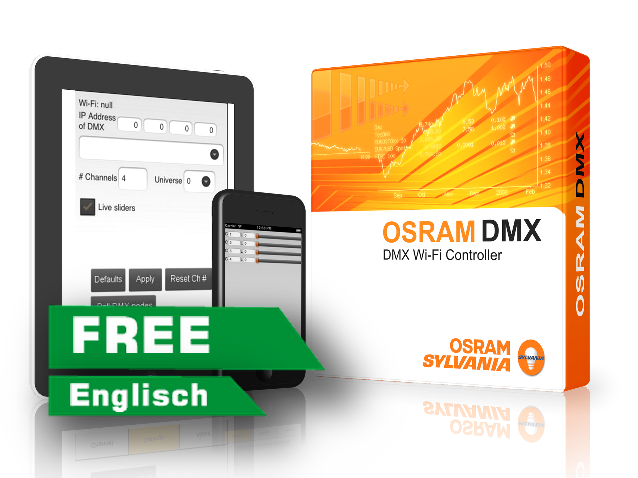
The application automatically detects available IP addresses and ports for the AIR2DMX WLAN interface. Each DMX channel can be assigned an individual value via a slider. Scenes can also be faded over time.

Get it on the App Store free What does it run with? View all programs

What does it run with?

Which version suits whom?

The OSRAM DMX Wi-Fi Controller is free on the App Store for iPhone, iPad and newer Macs. The Android version is no longer on Google Play; JMS keeps the last file available.

Device For whom What it offers Requirements (publisher)
iPhone / iPad · App StoreVersion 3.91 · 7 May 2018Recommended Anyone with an iPhone or iPad and an AIR2DMX. Free. One slider per DMX channel and a scene memory; according to the App Store it controls one universe with up to 512 devices via Art-Net. iOS or iPadOS 8.0 or later
Mac with Apple silicon · App Storesame app Anyone who prefers working on a Mac. The iPad app also runs on newer Macs. Apple notes: "Designed for iPad. Not verified for macOS." macOS 11.0 or later, Mac with Apple M1 or later
Android · installation fileVersion 1.79 Anyone with an Android device who can install an app outside Google Play. The Android version can no longer be found on Google Play (checked 12 Oct 2026). What remains is the installation file; you install it at your own risk. Android 5.0 or later (read from the file)

Quick decision

  • iPhone or iPad: the OSRAM Controller, free from the App Store.
  • Android: rather the ArtNet Controller: it is still offered on Google Play and does more. To the ArtNet Controller
  • USB2DMX on a computer: a program for Windows or macOS. All programs

Does it also work with my USB2DMX?

No. The app runs on your phone or tablet and sends the DMX commands as Art-Net over Wi-Fi – according to the App Store "using ArtNet II UDP unicast mode". A USB2DMX PRO or OPTO plugs into a computer's USB port and has no Wi-Fi, so the phone cannot reach it. With an AIR2DMX it works: the AIR2DMX receives Art-Net over Wi-Fi and passes DMX on to your fixtures.

Where to get it

Get the app

For Apple devices the app comes from the App Store. For Android, only the installation file is left.

OSRAM DMX Wi-Fi Controller

Version 3.91 · free · 1.6 MB · 7 May 2018

For iPhone, iPad and Macs with Apple silicon, installed through the App Store.

App Store: id577852124 · English

System requirements
  • iPhone: iOS 8.0 or later
  • iPad: iPadOS 8.0 or later
  • Mac: macOS 11.0 or later, Apple M1 chip or later only
  • Wi-Fi – the AIR2DMX network or your router

Manufacturer website (OSRAM SYLVANIA)

OSRAM DMX Controller for Android

Version 1.79 · 98.5 KB · free

The installation file JMS provides since the app disappeared from Google Play. Android must allow apps from unknown sources; you install it at your own risk.

File: OSRAM DMXController 1.79.apk

System requirements
  • Android 5.0 or later
  • Permission to install from unknown sources
  • Wi-Fi – the AIR2DMX network or your router

Instructions and file on air2dmx.com (German)

Background

More about the OSRAM Controller

What is the OSRAM DMX Wi-Fi Controller?

An app by OSRAM SYLVANIA that sends DMX as Art-Net over Wi-Fi. Every DMX channel gets its own slider, and scenes can be stored and faded over time.

About the number of universes: the overview above says "4 universes". For the iPhone and iPad version, the publisher states one universe with up to 512 devices on the App Store ("Up to 512 devices and 1 universe can be controlled at a time").

Who is behind it?

The publisher is OSRAM SYLVANIA. The app appeared on the App Store in November 2012; the current version 3.91 dates from 7 May 2018. It has not been updated since, but is still offered for free (as of 12 Oct 2026).

What you need besides the interface

An iPhone, iPad, a Mac with Apple silicon or an Android device, plus Wi-Fi: the AIR2DMX's own network (hotspot mode) or your router.

Working with our interfaces

AIR2DMX PRO, PRO HR, PRO HR 5-pin and AIR2DMX micro: yes. The app polls the network for DMX nodes and finds the AIR2DMX; the settings follow below.

USB2DMX PRO and USB2DMX OPTO: no. They connect to a computer via USB and cannot be reached by an app on a phone.

Setting up with the AIR2DMX

1. Start the app, open the settings and tap "Poll DMX Nodes"; select "JMS AIR2DMX".

2. Switch on "Broadcast" and "Live Sliders", set subnet 0 and universe 0.

3. IP address: in hotspot mode (SSID LED blue) 2.0.0.1. In router mode (SSID LED green) your router's address with 255 as the last number – for a router at 192.168.0.1 that is 192.168.0.255.

The steps are the same on Android and Apple. Source: the JMS instructions on air2dmx.com.

Further links

This program comes from OSRAM SYLVANIA and is maintained there. JMS provides the Android file because the app is no longer offered on Google Play.

↑