Skip to content

Freestyler

Home › Downloads › Software › Freestyler

Freestyler

At a glance

Professional DMX software

Runs onWindows

  • WINDOWSXP / 7 / 8 / 10 / 11
  • LEDTRIXLED marquee generator
  • MEVP compatibleMagic 3D Easy View protocol
  • Sound to LightControl to the beat of the music
  • Smart phone control availableFree Android App Download
  • ART-Net
  • 1024 DMX channels
  • Fixture library
  • Joystick control
  • Built-in chaser for LED fixtures
  • Touch screen capable
  • MIDI input
  • TCP, IP, API support
  • Motor fader support BCF 2000
  • Rotary support BCR 3000

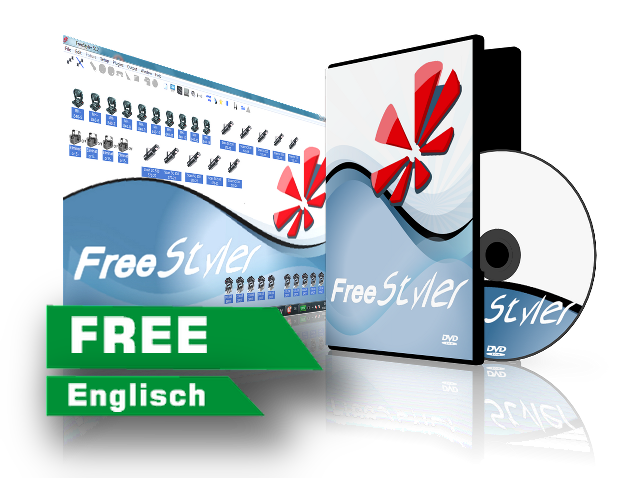
Freestyler is a free Professional Lighting control software and is used by many experienced DJs and lighting designers. The further development is supported by a huge network of users worldwide.

FreeStyler is MEVP (Magic 3D Easy View protocol) compatible and can be used with "Magic 3D easy view" for free.

Download Version 4.1.7 Compare versions View all programs

Versions

Which version suits whom?

The manufacturer lists FreeStyler 4.1.7 of 28 December 2024 as the current version. Until October 2026 the button on this page still pointed to version 3.6 from 2020. Both are free and run on Windows; the manufacturer does not offer a separate beta.

Version Who it is for What sets it apart Requirements
FreeStyler 4.1.728 December 2024Recommended Everyone starting today — from the DJ with four LED fixtures to the stage with moving heads. The version the manufacturer lists as current. The latest changes are bug fixes, among them shutter values restored from chase files. Windows XP, 7, 8, 8.1 or 10 (manufacturer’s statement)
FreeStyler 3.6.51file dated 27 December 2020 Anyone who would rather not touch a working FreeStyler 3.6 setup — or anyone for whom 4.1.7 does not run smoothly. The version this button pointed to until October 2026. The manufacturer no longer links to it, but the file is still on the manufacturer’s download server. The manufacturer states nothing separate for this version.

The short answer

  • New to FreeStyler or a freshly set-up Windows computer: FreeStyler 4.1.7.
  • A working rig with FreeStyler 3.6 should stay as it is: FreeStyler 3.6.51.
  • You work on a Mac: FreeStyler in a virtual Windows — see the box below.

Does FreeStyler run on a Mac?

Not directly — FreeStyler is a Windows program. The manufacturer’s wiki describes the route via a virtual Windows with VMware Fusion, Parallels or the free VirtualBox. The virtual Windows should get at least 2 GB of RAM; the Mac itself should have at least 4 GB, 8 GB recommended. The USB interface is then passed through to Windows in the virtual machine’s settings.

Download

Download FreeStyler

Every button loads the file straight from the manufacturer’s server — no sign-up, no detour via the forum. Size, date and file name were verified on 12 October 2026.

FreeStyler 4.1.7

Version 4.1.7 · 28.85 MB · 28 December 2024

The current version. For Windows.

File: setupX2.exe

System requirements according to the manufacturer
  • Windows XP, 7, 8, 8.1 or 10
  • Up to 512 fixtures in 2 DMX universes

This is what the manufacturer’s page says; it does not mention Windows 11. It states no processor, memory or graphics requirements.

Manufacturer’s page for this file

FreeStyler 3.6.51

Version 3.6.51 · 27.51 MB · file dated 27 December 2020

The previous version — no longer linked by the manufacturer, but still on its server. Same file name as 4.1.7.

File: setupX2.exe

The manufacturer states no separate system requirements for this version.

Manufacturer’s forum

Extra files for control surfaces

Background

More about FreeStyler

What FreeStyler is

FreeStyler DMX is a free lighting control program for Windows. It is written by a single developer, Raph, at freestylerdmx.be. Alongside, the user community runs freestylersupport.com with the forum holding the latest versions, a wiki serving as the online manual and a bug tracker.

According to the manufacturer, FreeStyler drives up to 512 fixtures in two DMX universes, has a built-in chaser for LED fixtures and can be operated by touchscreen and MIDI. Sunlite’s 3D preview “Magic 3D Easy View” can be used with it for free.

What you need for it

A Windows computer, a DMX interface and a fixture profile for every type of fixture. If a profile is missing, you build it yourself with the manufacturer’s FixtureCreator or look for it in the forum — the manufacturer explicitly does not take profile requests by email. After installation an English help file sits in FreeStyler’s program group.

Together with our interfaces

The manufacturer’s interface list has its own entry for “JMS USB2DMX”. You pick it under Setup › FreeStyler Setup › Interface setup; the step-by-step guide is further down under “Questions and answers”.

Art-Net is on the same list. That is how FreeStyler reaches the AIR2DMX PRO, which receives Art-Net over Wi-Fi.

Where to read on

Software

Questions and answers

Windows USB driver installation

In the menu bar Setup -> FreeStyler Setup -> Add / Remove Fixtures

Which interface do I have to choose in FreeStyler?

Note! The USB driver must be installed beforehand.

See Windows USB driver installation

Select the JMS USB2DMX interface in Universe 1.

Setup --> FreeStyler Setup --> Interface setup --> Controller

No further settings are required.

In the Unversum 2 select Virtual Interface.

This program comes from its respective manufacturer and is maintained and downloaded there. JMS Pro Light does not distribute it.

↑