Skip to content

ArtNet controller

Home › Downloads › Software › ArtNet controller

ArtNet controller

At a glance

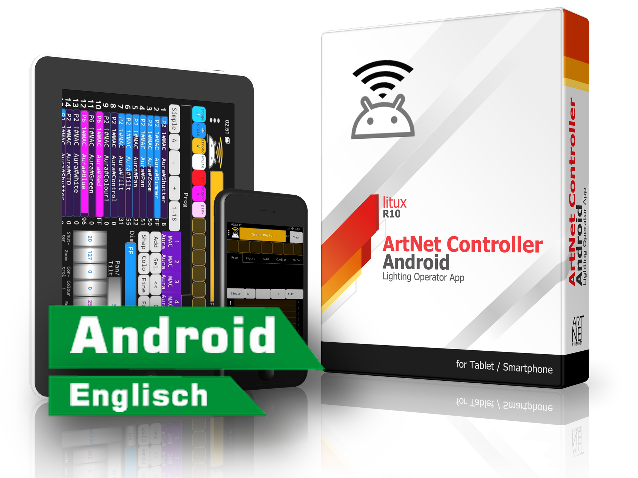
Android DMX controller app

Runs onAndroid

  • Simple DeskSimple Desk
  • Extensive effect toolsTime and beat tools
  • 4 universes4x 512 DMX channels
  • ArtNet protocol
  • Fixture library
  • Touch Screen
  • MIDI input
  • Presets
  • Shape generator
  • Tablet mode
  • Scenes fade
  • XY fader
  • RGB fader

This app was written by a lighting technician for lighting technicians, so you can expect some of the functionality of the most popular lighting consoles.

On Google Play €1.19 What does it run with? View all programs

What does it run with?

Which version suits whom?

The ArtNet Controller exists for Android only. The table shows what to use with which device and which interface.

Device For whom What it offers Requirements (publisher)
Android · Google PlayVersion 1.32 · 23 June 2020Recommended Anyone with an Android phone or tablet and an AIR2DMX. The full app: cue lists, presets, fixture library, up to 4 universes via Art-Net or sACN. A one-off €1.19 on Google Play. Android 4.4 or later, Wi-Fi
iPhone / iPadno version Anyone with an Apple device. litux offers no app for iPhone or iPad (App Store search on 12 Oct 2026: no result). Use the OSRAM Controller (free) or StageLight (iPad) instead. –
Windows or Mac computerno version Anyone running a USB2DMX PRO or OPTO on a computer. The ArtNet Controller runs on Android only, not on a computer. For the USB interfaces, use a desktop program such as DMXControl, QLC+ or FreeStyler. –

Quick decision

Does it also work with my USB2DMX?

No. The app runs on your phone or tablet and sends the DMX commands over Wi-Fi – according to the developer as Art-Net or sACN packets ("sends DMX 512 packets over Wifi using the Artnet protocol / sACN E1.31"). A USB2DMX PRO or OPTO plugs into a computer's USB port and has no Wi-Fi, so the phone cannot reach it. With an AIR2DMX it works: the AIR2DMX receives Art-Net over Wi-Fi and passes DMX on to your fixtures.

Where to get it

Get the app

The ArtNet Controller is bought and installed through Google Play; updates come from there as well.

ArtNet Controller

Version 1.32 · €1.19 · 23 June 2020

Purchase and installation through Google Play.

Package: com.litux.art_net_controller

System requirements
  • Android 4.4 or later
  • Wi-Fi – the AIR2DMX network or your router
  • A Google account to buy from Google Play

Developer website (litux)

Background

More about the ArtNet Controller

What is the ArtNet Controller?

An Android app that sends DMX commands over Wi-Fi, as Art-Net or sACN (E1.31). The developer describes it as an app for testing and focusing that can also play a simple show if your main console fails.

It was written by a lighting operator for lighting operators, so it offers what you know from consoles: cue lists with times, presets, a patch editor, a shape generator for movement, a built-in fixture library and MIDI input.

Who is behind it?

The app is developed under the name litux. The current version 1.32 dates from 23 June 2020 (as listed on Google Play on 12 Oct 2026). The manual for the R10 series is on the developer's website.

What you need besides the interface

An Android phone or tablet running Android 4.4 or later, and Wi-Fi: either the AIR2DMX's own network (hotspot mode) or your router. You do not need a computer.

Working with our interfaces

AIR2DMX PRO, PRO HR, PRO HR 5-pin and AIR2DMX micro: yes. The app finds the interface with its node search; the settings follow below.

USB2DMX PRO and USB2DMX OPTO: no. They connect to a computer via USB and cannot be reached by an app on a phone.

Setting up with the AIR2DMX

1. Start the app and open the settings (three dots, top left).

2. Tap "Try to find NODE" and select "JMS AIR2DMX".

3. IP address: in hotspot mode (SSID LED blue) 2.0.0.1. In router mode (SSID LED green) your router's address with 255 as the last number – for a router at 192.168.0.1 that is 192.168.0.255.

4. Activate Art-Net A with subnet 0 and universe 0, switch on "Continuous Broadcast" and confirm with "Apply".

Source: the JMS instructions on air2dmx.com.

Further links

This program comes from its respective manufacturer and is maintained and downloaded there. JMS Pro Light does not distribute it.

↑